Documentation/Administration
Customers & packages
Manage customer accounts, plans, payments, and enquiries.
Company & customers
Admin → Company lists every account on the platform, with Total Customers, Total MRR, and Active Errors at the top.
Filter by account, plan (Starter, Standard, Enterprise, Custom), and subscription state. Status indicators include:
| Indicator | Meaning |
|---|---|
| Healthy | Operating normally |
| Active error | Something is failing on the account |
| Near Quota Limit | Approaching their email credit ceiling |
| Verified / Unverified | Email verification state |
| Active / Pending / Cancelled / Cancelling | Subscription state |
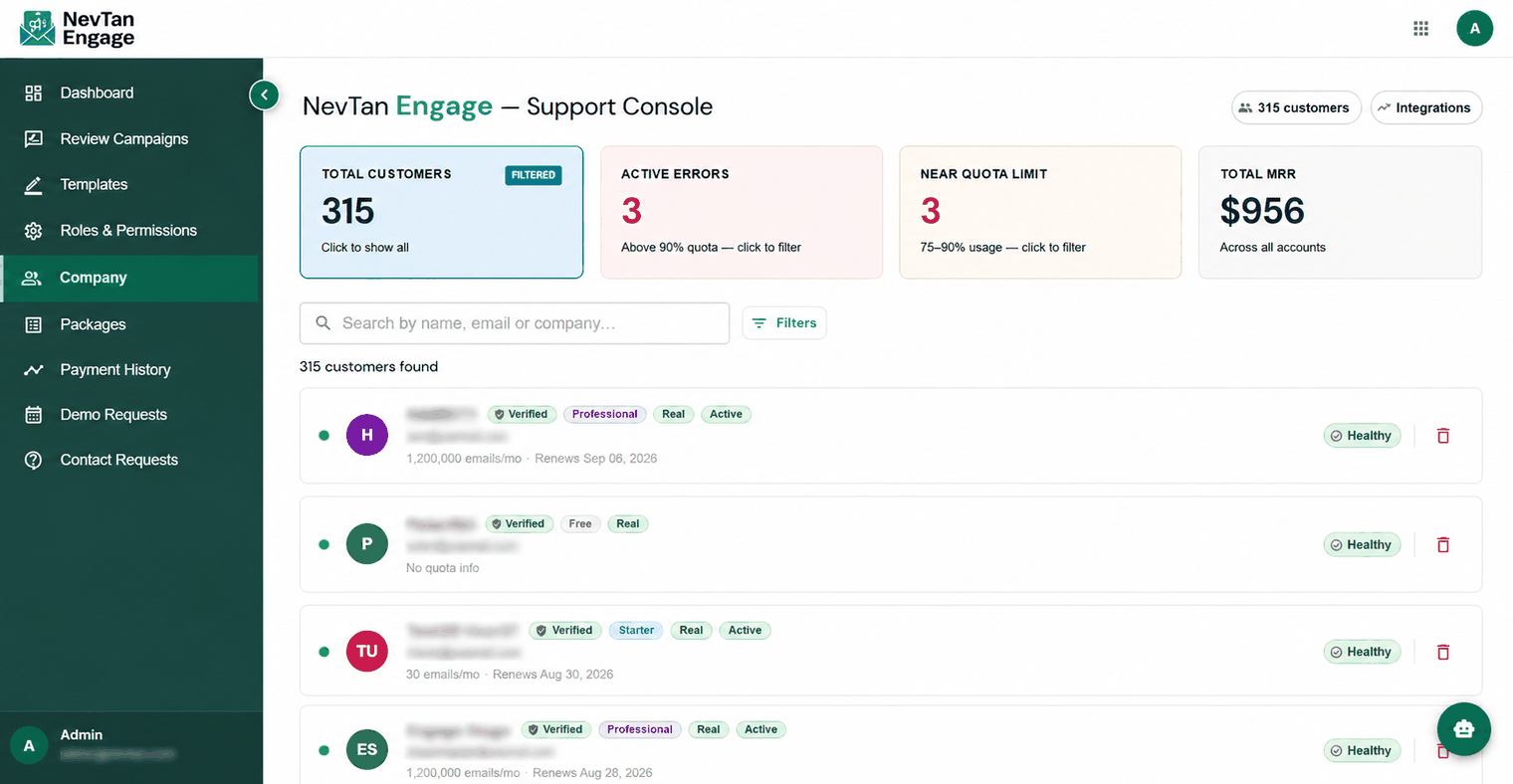
All customer accounts
Company detail
Click a customer to open their record:
- Profile & company details — view and update
- Active subscription — plan, billing amount, renewal date, and whether it cancels at period end
- Email credits — grant or deduct credits (amount must be non-zero), with a full audit trail
- Allow full access — a per-user override that bypasses package gating and grants every feature
- Campaign performance — sends, clicks, click rate, bounces, completions
- Billing & invoices — view an invoice PDF, or send one to the customer
- Activity log — a history of actions on the account
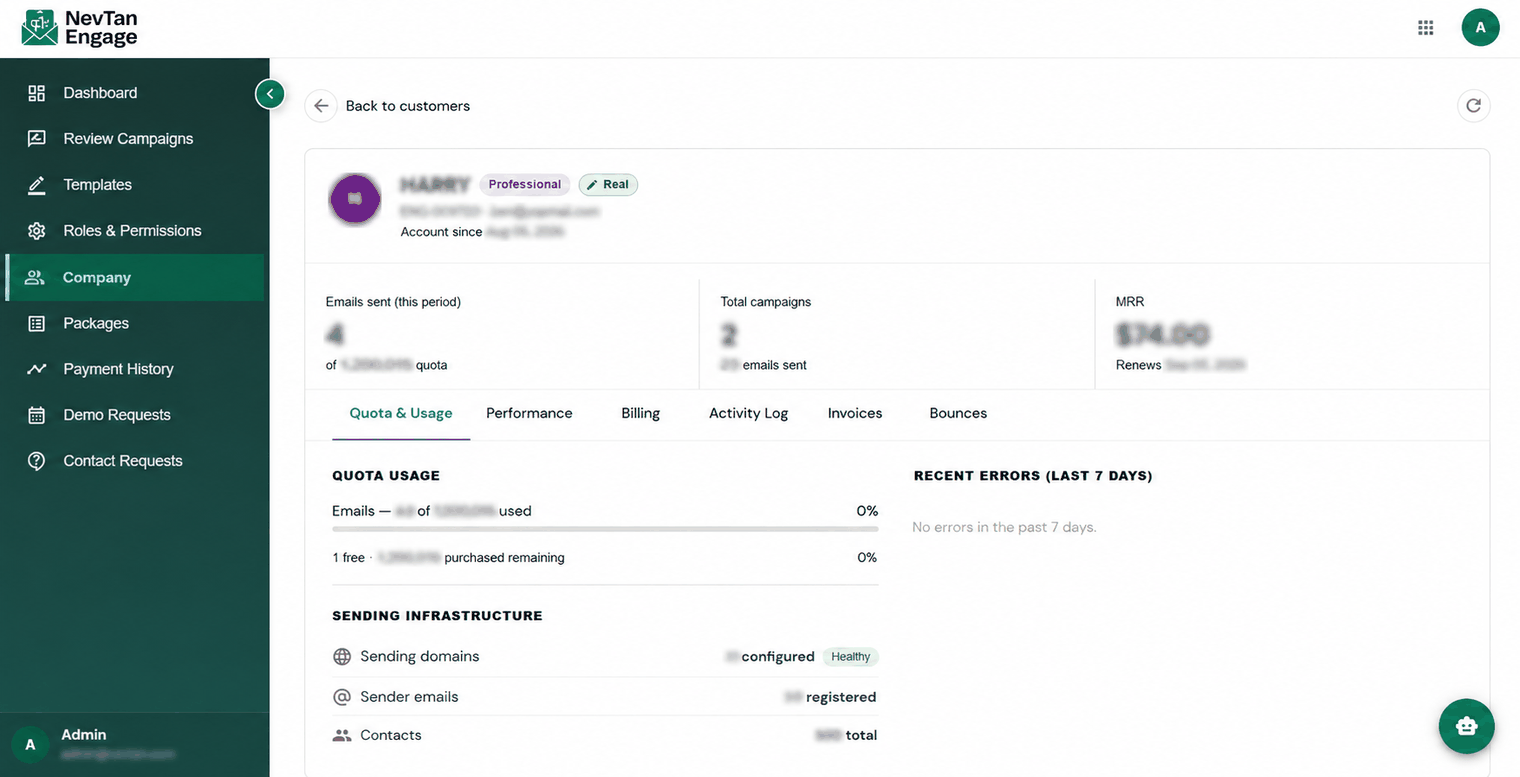
A single customer record
Deleting a customer is permanent, and admin accounts cannot be deleted. Deactivating is usually the safer choice.
Packages
Admin → Packages defines the subscription plans customers can buy. Click Add Package or edit an existing one:
| Field | Description |
|---|---|
| Plan Tier | Which tier this package maps to — auto-fills a suggested feature set |
| Package Name | The plan name |
| Highlight / Tagline | Marketing line on the pricing page |
| Email Credits | How many emails are included |
| Emails Display Label | How the allowance is shown, e.g. "Up to 30k" |
| Description | Short summary |
| Monthly Price (USD) | Base price per month — required |
| Sort Order | Lower numbers appear first |
| Stripe Price ID — Monthly / Yearly | Links the plan to its Stripe prices |
| Allowed Features | Checklist of which app features the plan unlocks |
| Features | The free-text bullet list shown to customers on the pricing page |
| Active / Inactive | Whether the plan is currently offered |
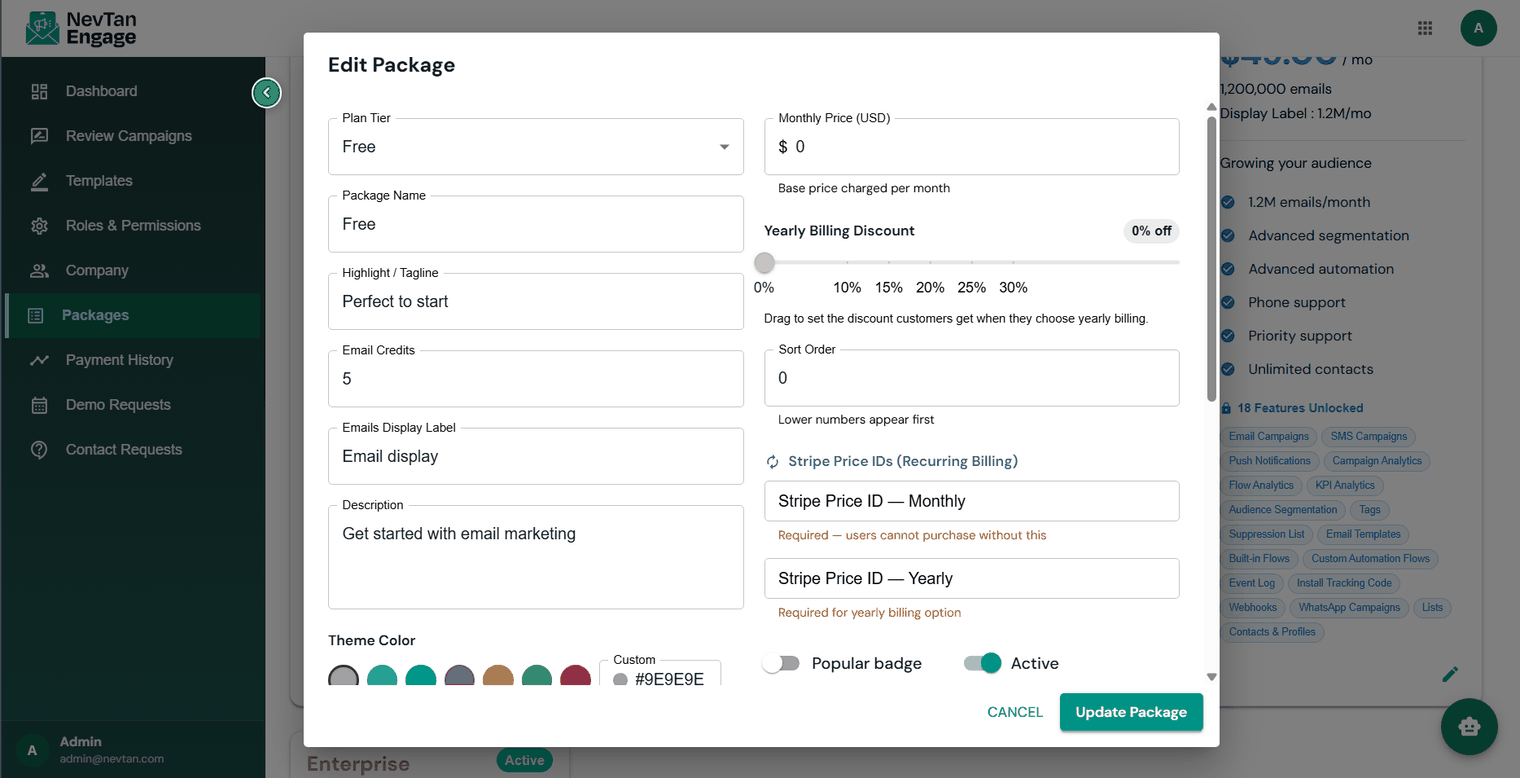
Defining a plan and its features
Choosing a tier auto-fills a suggested feature set that you can adjust. What's saved is authoritative — the suggestions are only a starting point.
Editing a live package affects every customer currently on it. Change features and credits with care.
Payment history
Admin → Payment History lists every transaction, showing the customer, Package, Amount, Email Credits, and Status — Active, Trialing, Past due, Cancelled, or Cancels at period end. Transactions are labelled Monthly renewal, Yearly renewal, or One-off.
Demo & contact requests
Admin → Demo Requests collects submissions from the public Book a Demo form, with each prospect's company, email, phone, and message.
Click Refresh
Pull the latest requests.
Set a status
Scheduled (demo booked), Contacted (you've reached out), or Closed.
Add notes and save
Notes give context for whoever picks it up next.

Incoming demo requests
Admin → Contact Requests works the same way for the Contact Us form, with statuses In Progress, Resolved, and Closed.