
Documentation/Campaigns
Reading a campaign's results
Read the results of a send, down to the individual recipient.
Open any sent campaign to see how it did.
Overview
Headline performance for the campaign — how many messages were delivered, opened, clicked, bounced, and unsubscribed, with the matching rates.
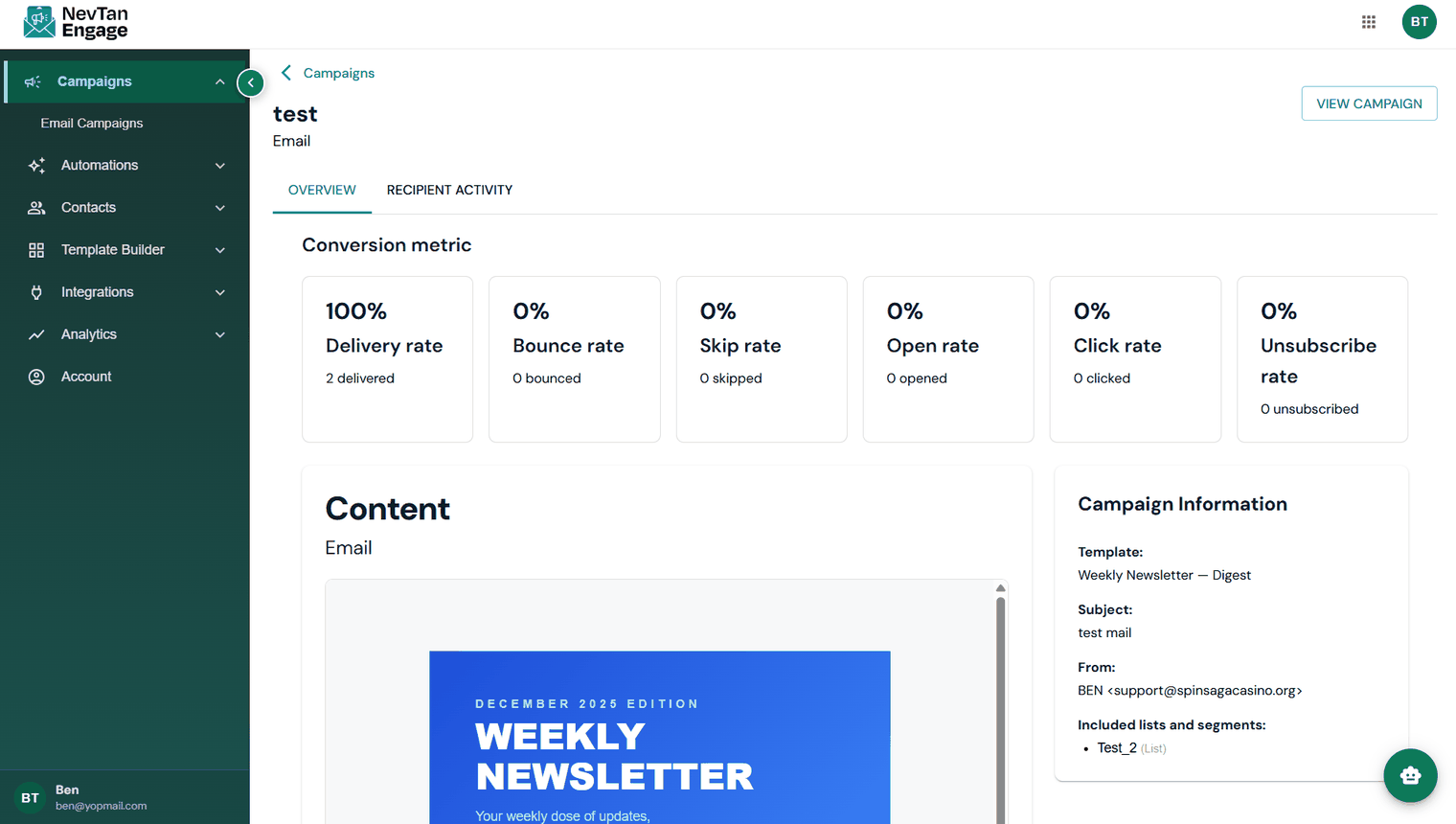
Campaign results
Recipient activity
A per-person breakdown of what happened, filterable by activity type:
| Activity | Meaning |
|---|---|
| Scheduled | Queued, not yet sent |
| Delivered | Accepted by the recipient's mail server |
| Opened | The recipient opened the email |
| Clicked | The recipient clicked a link |
| Converted | The recipient completed the action you were after |
| Bounced | Could not be delivered |
| Unsubscribed | The recipient opted out from this send |
| Marked as Spam | The recipient reported the message as junk |
| Skipped | Not sent — for example, the contact was suppressed |
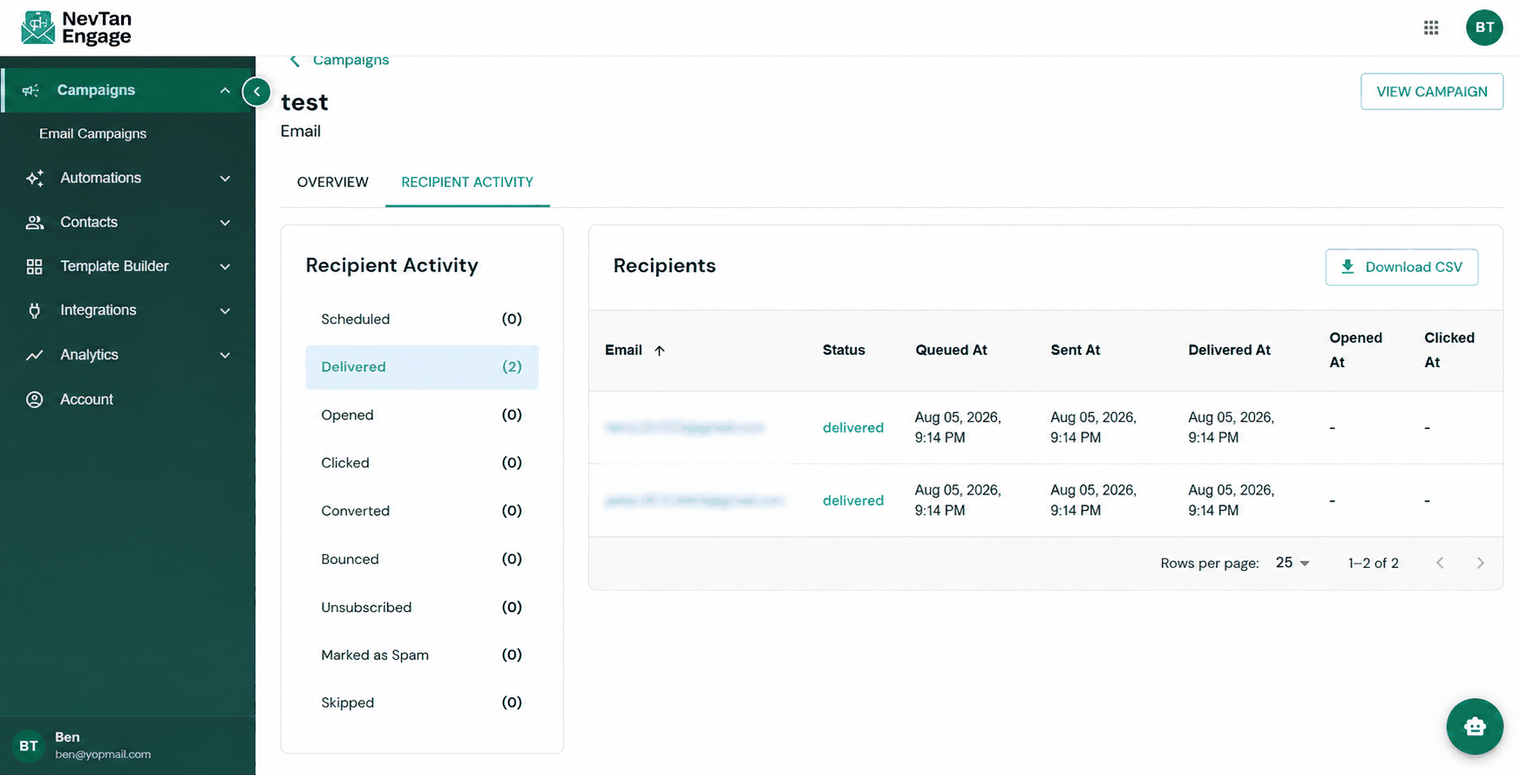
Who did what
Click into any activity to see the contacts behind the number, so you can follow up with engaged recipients or clean up bad addresses. Each tab can be downloaded as a CSV of its full recipient list.
What good looks like
- Open rate — Engage flags anything below 20% as under target.
- Click rate — 2–5% is typical for broadcast campaigns; flows usually do better.
- Bounce rate — keep under 2%. Higher means your list needs cleaning.
- Unsubscribe rate — keep under 0.5% per send.
For trends across many campaigns rather than one, see Campaign Reports.