
NevTan Engage

Features

Solutions

Resources

Company

Legal

© 2026 NevTan Engage. All rights reserved.

| |

Channels & Automation

By Industry

Plans & Pricing

Learn & Build

Getting started

  • Introduction
  • Create your account
  • Signing in
  • Your dashboard & navigation

Contacts

  • Contacts & profiles
  • Lists
  • Importing contacts
  • Segments
  • Suppression list

Campaigns

  • Campaigns overview
  • Create & send a campaign
  • A/B testing
  • Reading a campaign's results

Templates

  • Template library
  • Create with AI
  • The template editor
  • Template approval

Automations

  • Built-in flows
  • Custom flows

Analytics

  • Contact Growth
  • Campaign Reports
  • Automation Reports
  • Metrics glossary

Integrations

  • Webhooks

Account & billing

  • Your profile
  • Custom sending domains
  • Plans & pricing
  • Billing, usage & invoices
  • Team & roles

Administration

  • Admin overview
  • Campaign & template review
  • Customers & packages

Documentation/Account & billing

Billing, usage & invoices

Track credits, manage your card, and download invoices.

Subscription & usage

The Subscription tab shows your plan and how much of it you've used:

  • Current Plan — and what it includes
  • Free Credits Renewal — your account creation date and when credits renew (a 30-day cycle)
  • Email Credits — used vs. included, with a percentage bar and how many remain
  • Used Emails / Available — a running count
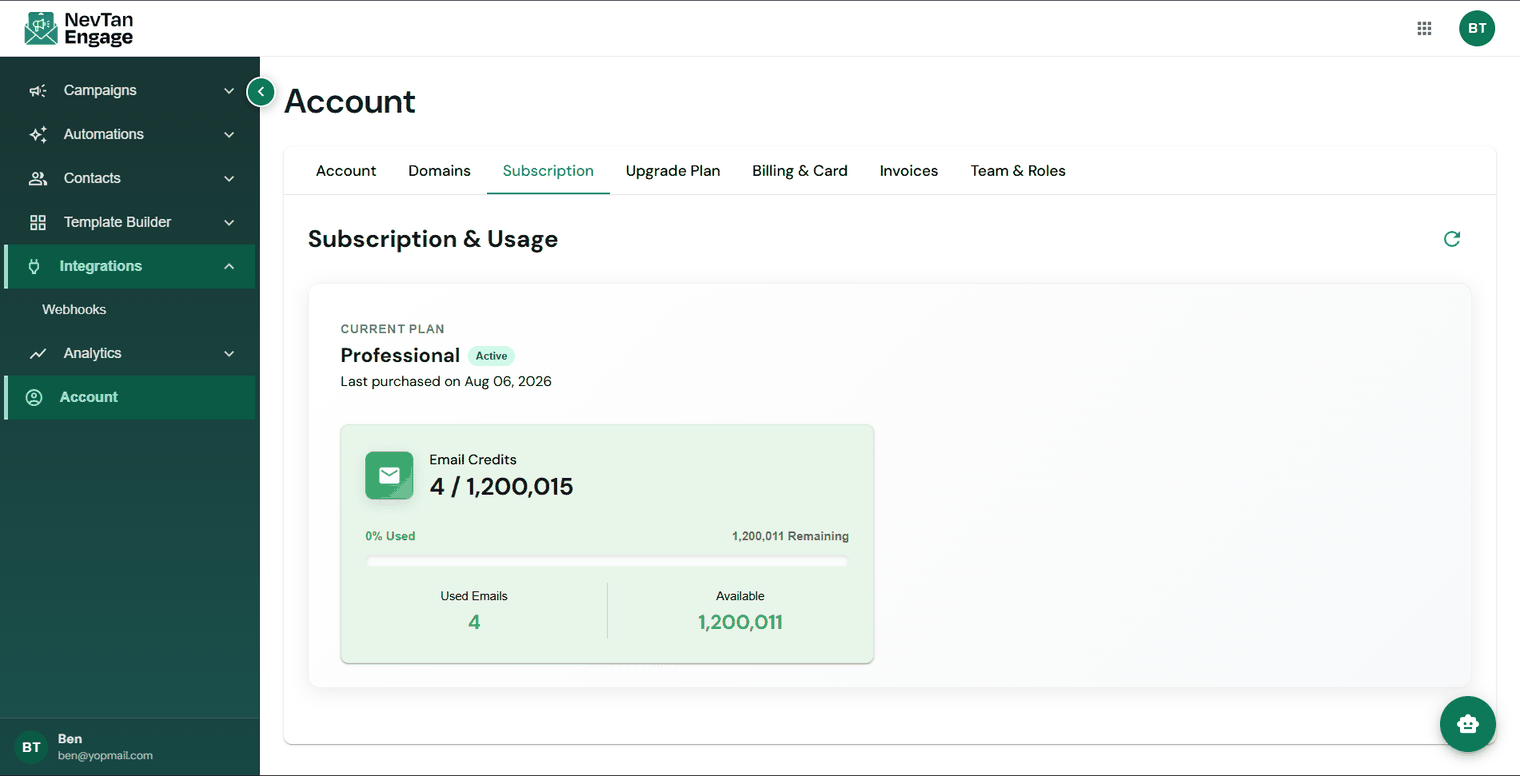
The Subscription tab with credit usage

Your plan and credit usage

💡

Credits reset each renewal period. If you consistently run out before the reset, that's the signal to upgrade rather than to send less.

Billing & card

The Billing & Card tab manages your payment methods — add a card, replace it, or remove it. Card details are handled directly by Stripe; NevTan never stores your full card number.

⚠️

Removing your payment method also cancels any active subscription. Only do this if you intend to end your plan.

Invoices

The Invoices tab lists every invoice on your account. For each one you can view it as a PDF in the browser or download it for your records.
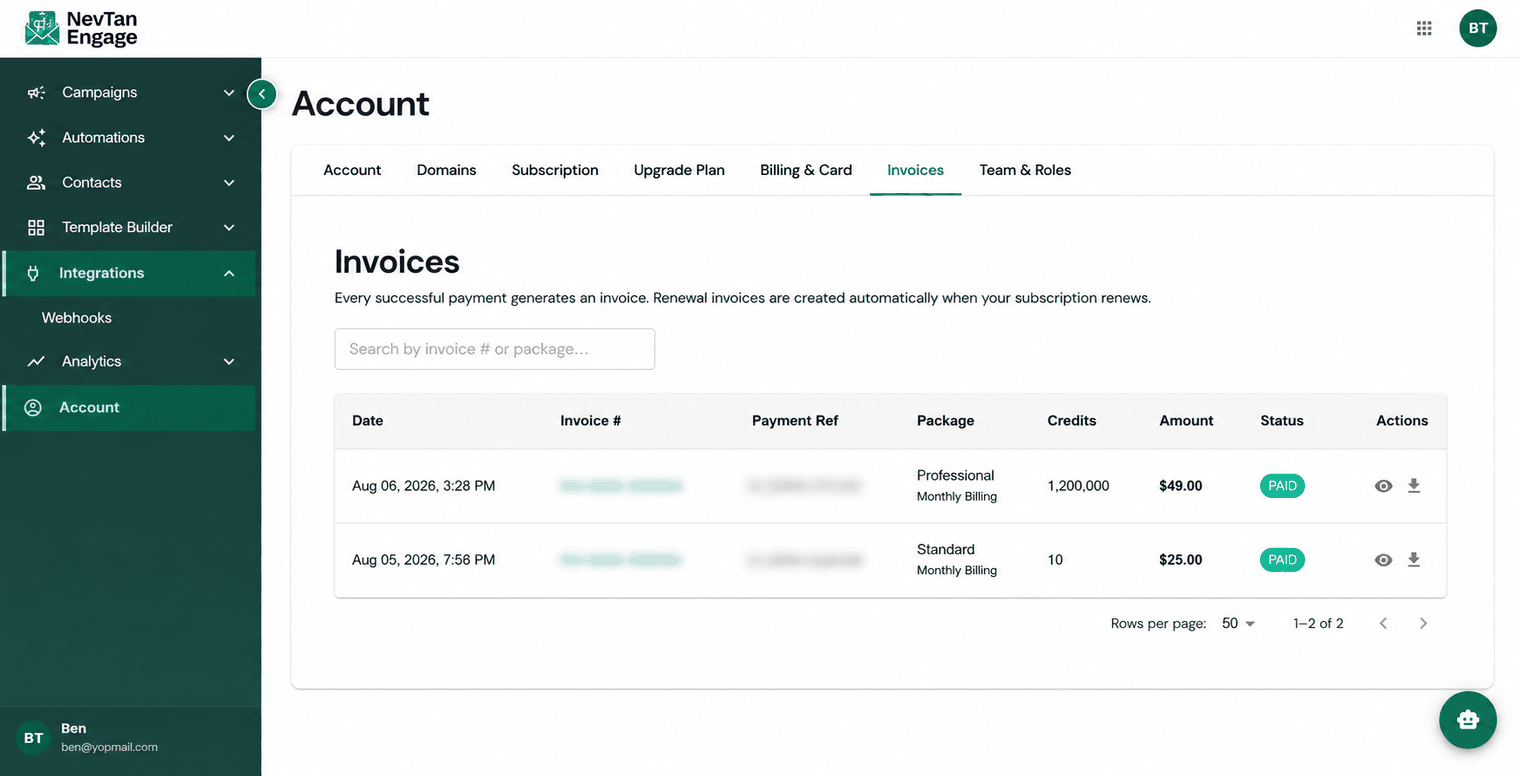
The Invoices tab

View or download any invoice

Previous

Plans & pricing

Next

Team & roles

Still need a hand?

Our support team usually replies within one business day.

Contact support

On this page

  • Subscription & usage
  • Billing & card
  • Invoices