
Documentation/Getting started
Create your account
Sign up, verify your email, and complete first-time setup.
Creating an Engage account takes about five minutes and needs no credit card.
Sign up
Open the sign-up page
Go to engage.nevtan.com and click Start Free, or go straight to the sign-up page.
Fill in your details
Enter your first and last name, your company, and a business email address. Use a real address — your verification link goes there.
Choose a password
Your password must be at least 12 characters and include an uppercase letter, a lowercase letter, a number, and a symbol.
Create the account
Review the Terms & Conditions and Privacy Policy, then click Create my account.
| Field | Notes |
|---|---|
| First / Last name | Your name |
| Company | Your business or brand name |
| Business email | Where your verification link is sent |
| Password | 12+ characters with upper, lower, number, and symbol |
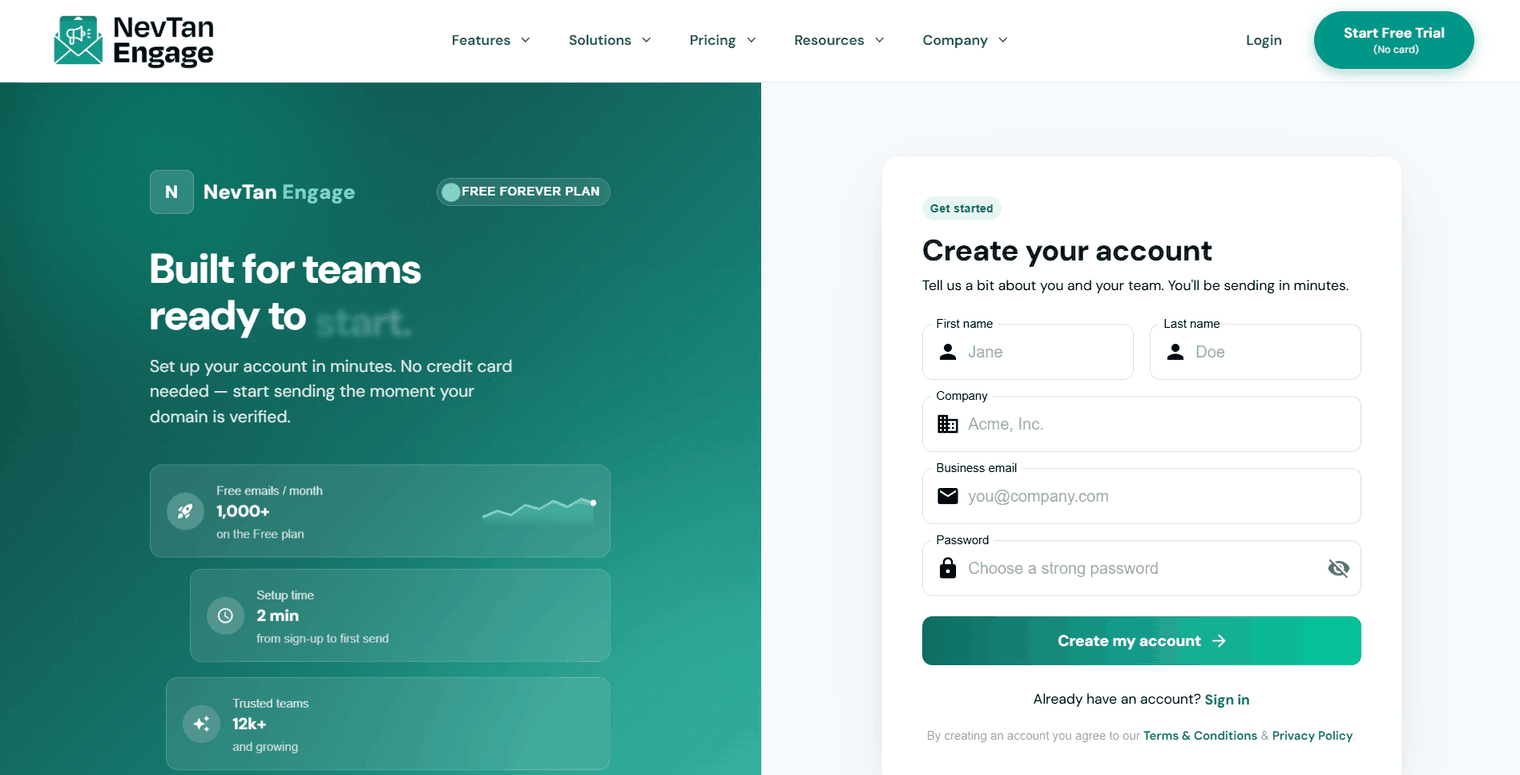
The sign-up form
Verify your email
Engage emails you a verification link. Open it and click through — you'll land on a confirmation screen that activates your account.
No email? Check your spam folder, then use the Didn't receive a verification email? Resend link on the sign-in page.
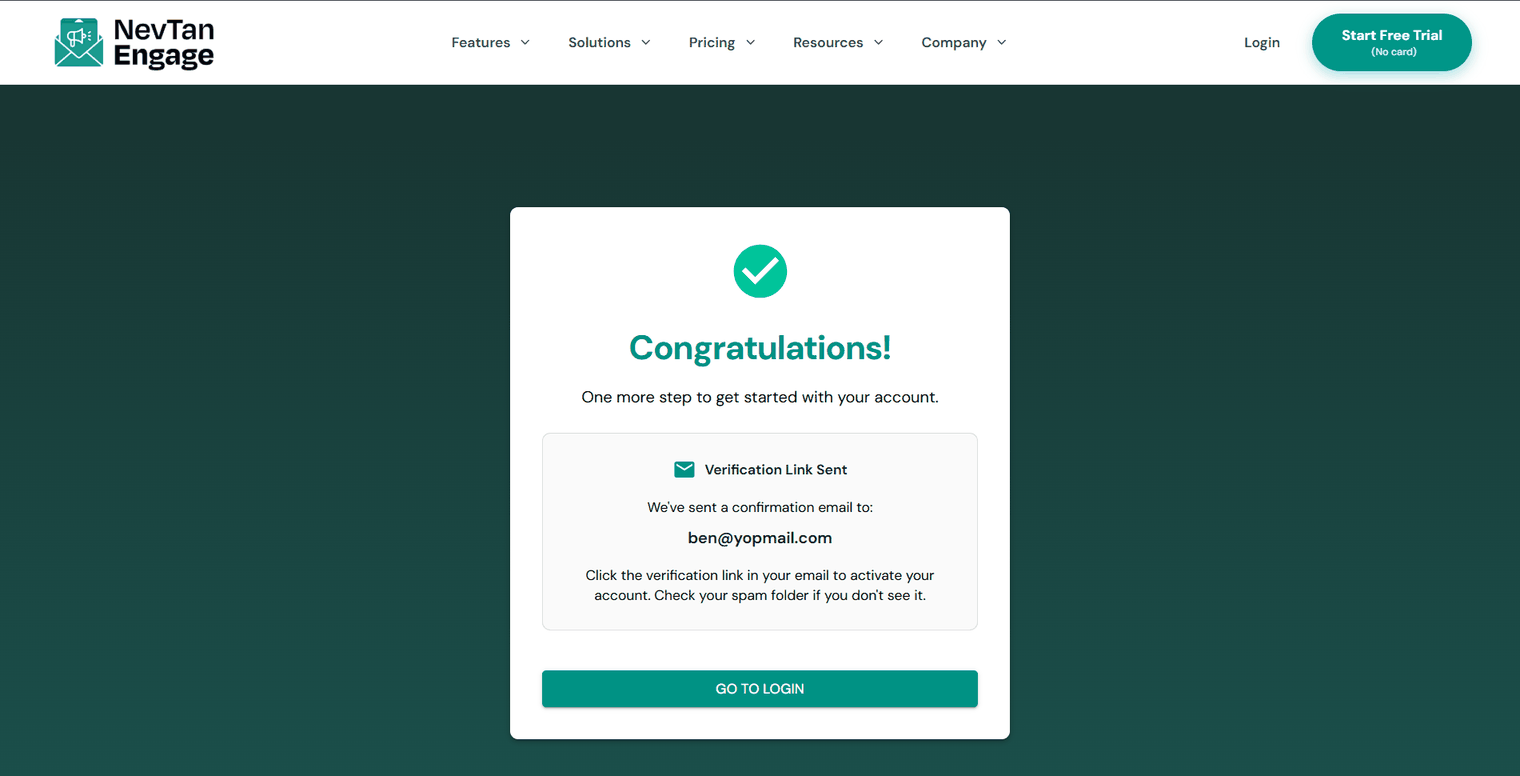
Your account is verified
Choose your industry
The first time you sign in, Engage asks What's your industry? Pick everything that applies — E-commerce, Gaming/Casino, SaaS, Retail, Travel & Hospitality, Finance/Fintech, Media & Entertainment, Education, Healthcare, Construction, or Other — then click Continue.
This tailors the events, segments, and automations Engage suggests. You must select at least one to continue, but you can change it at any time later.
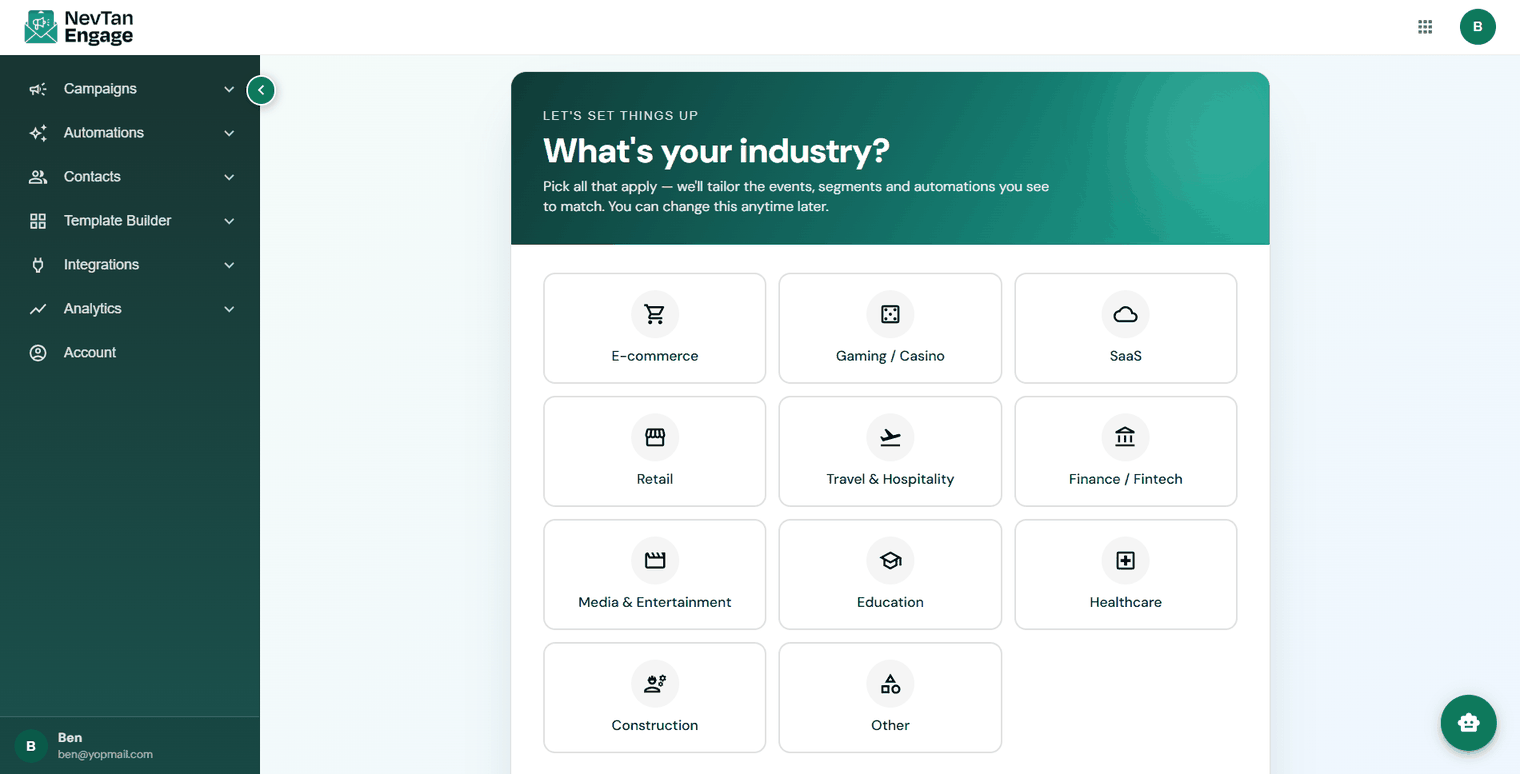
Pick every industry that applies