NevTan Engage

Features

Solutions

Resources

Company

Legal

© 2026 NevTan Engage. All rights reserved.

| |

Channels & Automation

By Industry

Plans & Pricing

Learn & Build

Getting started

  • Introduction
  • Create your account
  • Signing in
  • Your dashboard & navigation

Contacts

  • Contacts & profiles
  • Lists
  • Importing contacts
  • Segments
  • Suppression list

Campaigns

  • Campaigns overview
  • Create & send a campaign
  • A/B testing
  • Reading a campaign's results

Templates

  • Template library
  • Create with AI
  • The template editor
  • Template approval

Automations

  • Built-in flows
  • Custom flows

Analytics

  • Contact Growth
  • Campaign Reports
  • Automation Reports
  • Metrics glossary

Integrations

  • Webhooks

Account & billing

  • Your profile
  • Custom sending domains
  • Plans & pricing
  • Billing, usage & invoices
  • Team & roles

Administration

  • Admin overview
  • Campaign & template review
  • Customers & packages

Documentation/Contacts

Contacts & profiles

Everyone you can message, and the profile Engage keeps for each of them.

Engage keeps a single profile for every person in your audience. Open Contacts → All Contacts to see them all.

Profile counts

The cards at the top summarise the health of your audience:

MetricMeaning
Total profilesEveryone in your account
Active profilesSubscribed and mailable
Suppressed profilesExcluded from sending — see Suppression list

Finding someone

The profiles table lists Profile, Email, Subscribed, Phone, and Profile created. Use the search box to find a person by name, email, or exact phone number, and adjust Rows per page to page through larger audiences.
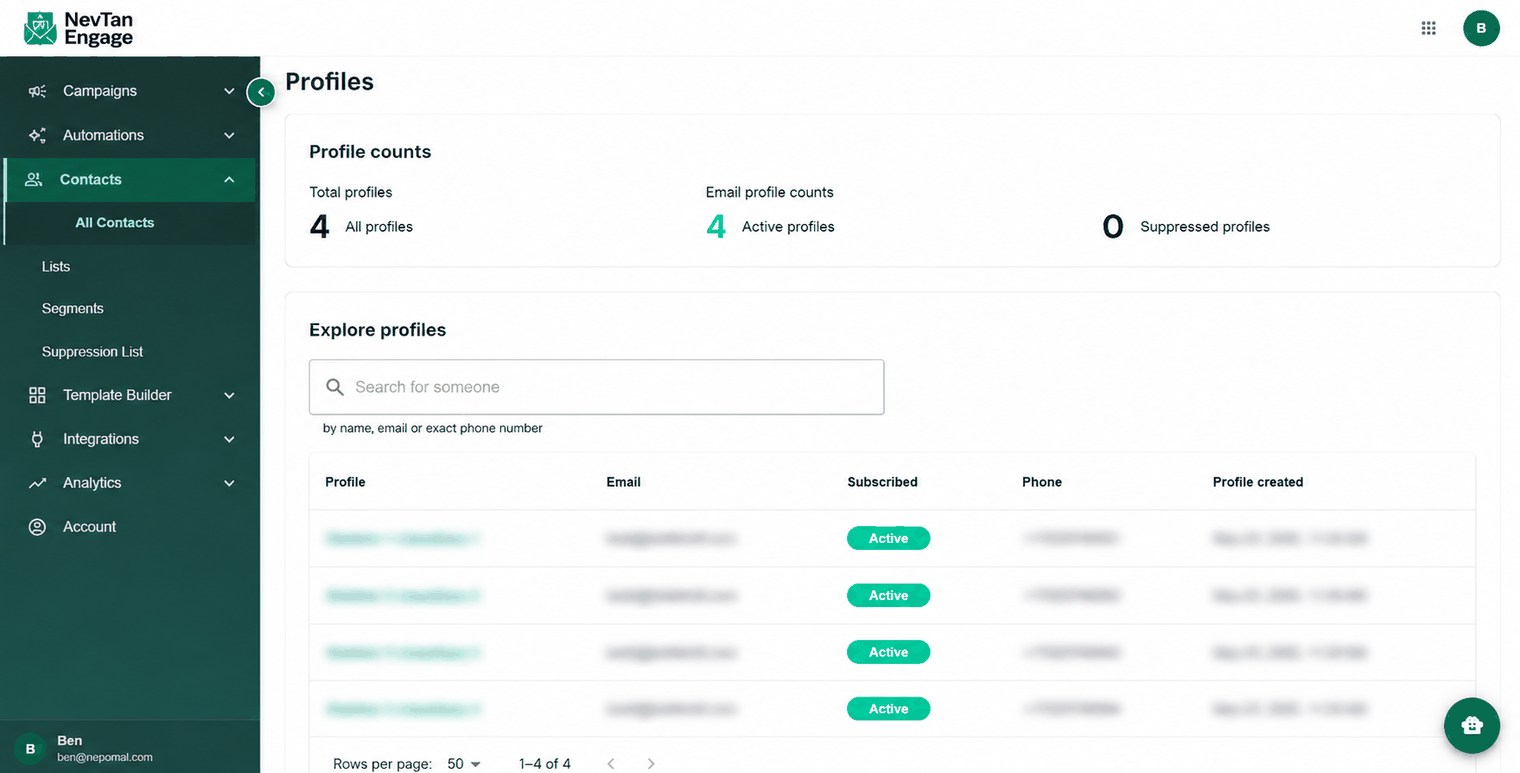
The Profiles page listing all contacts

All Contacts

A contact's profile

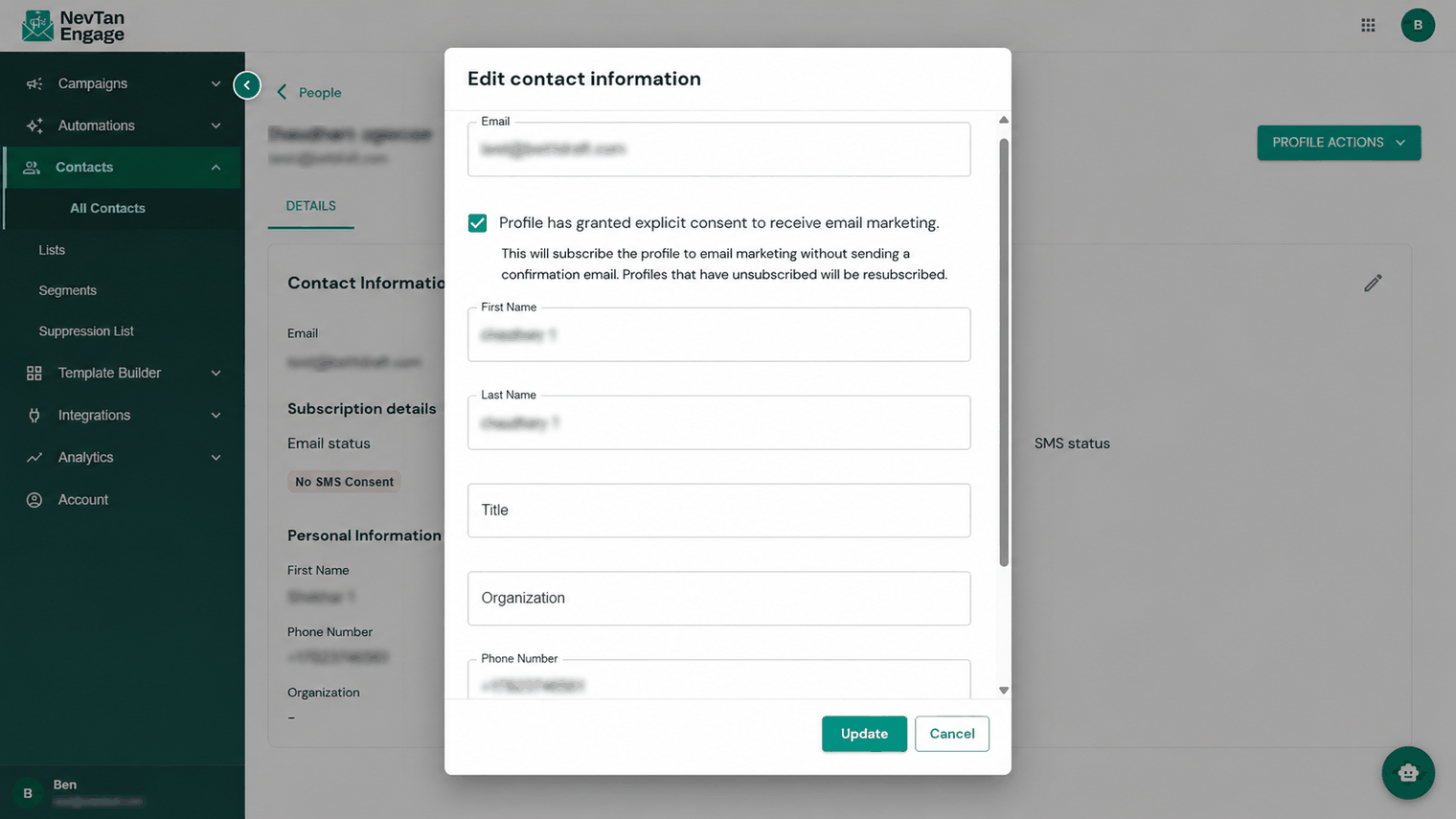
Click any row to open that person. On the Details tab, click the pencil icon to edit their information:

  • Email
  • First name and last name
  • Title
  • Organization
  • Phone number
A contact's details in edit mode

Editing a contact

Save your changes, or cancel to discard them.

ℹ️

Contacts arrive in your account by being imported into a list, or through the API and webhooks — you don't add them one by one from this screen. See Importing contacts.

Previous

Your dashboard & navigation

Next

Lists

Still need a hand?

Our support team usually replies within one business day.

Contact support

On this page

  • Profile counts
  • Finding someone
  • A contact's profile