
Documentation/Contacts
Lists
Static groups of contacts you build and add people to.
A list is a static group — a newsletter list, a customer list, an event list. You decide who's in it. (For groups that update themselves based on rules, use segments instead.)
Create a list
Open Contacts → Lists
The Lists page shows every list in your account. (Segments have their own page — see Segments.)
Click Create List
The create dialog opens.
Name it and save
Enter a list name and confirm. It appears in the table straight away.
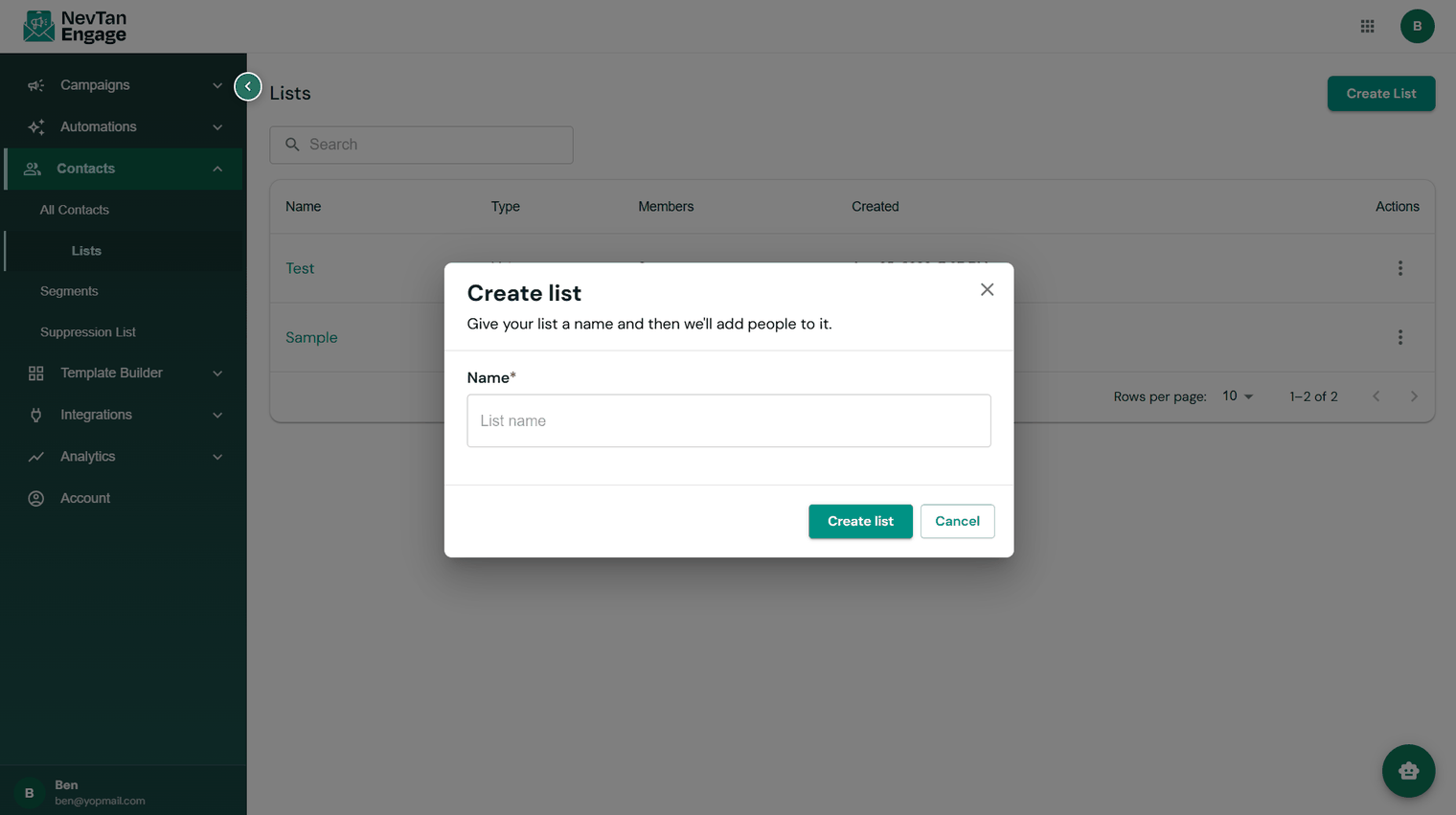
Creating a list
The lists table shows each list's Name, Type, Members, Created date, and Actions.
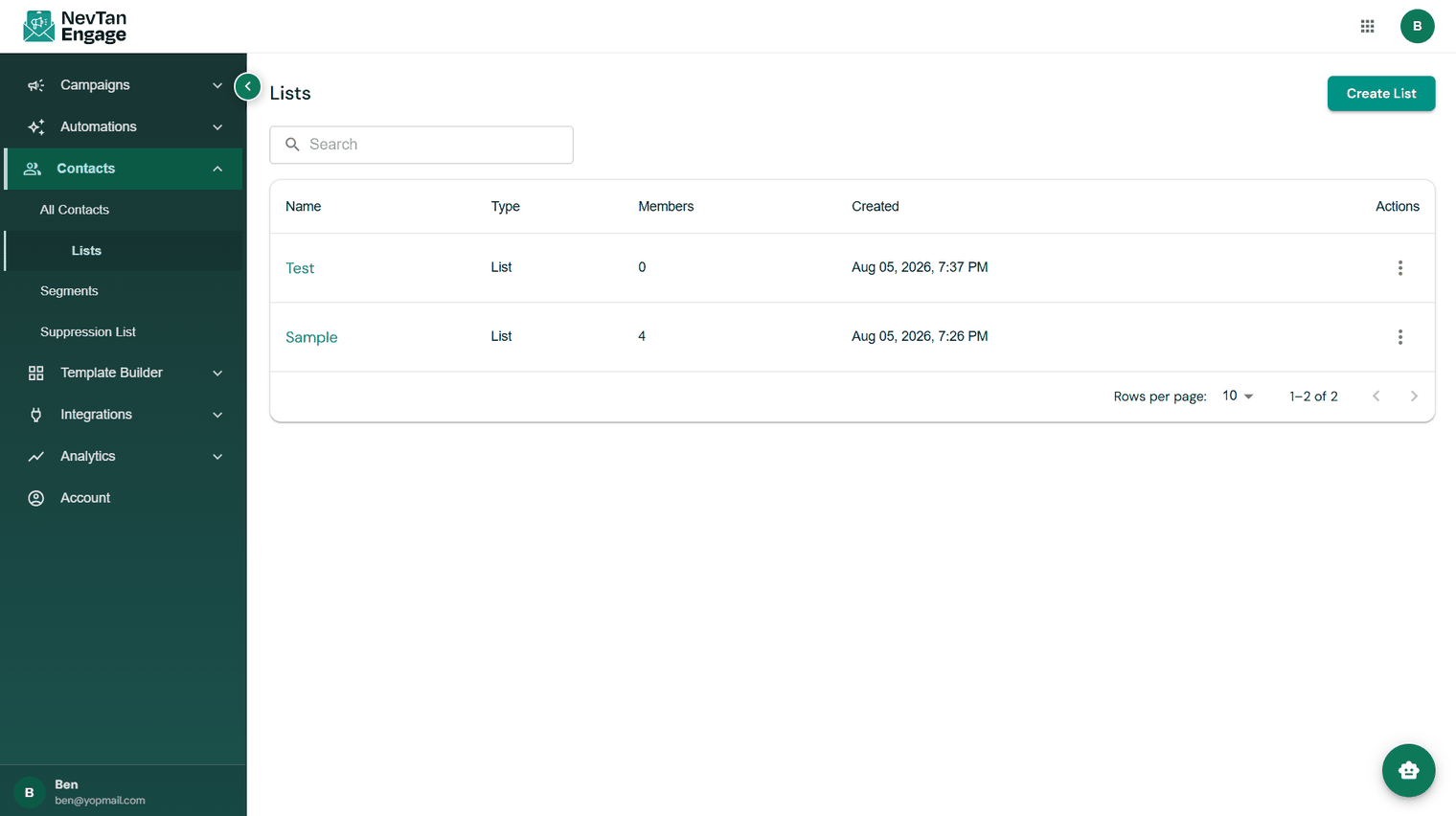
Your lists
Inside a list
Click a list to open it. It has three tabs:
| Tab | What's there |
|---|---|
| Members | The contacts in this list, with a live count. Add or remove members. |
| Imports | The history of every CSV upload into this list, with status and error downloads. |
| WebHook | Events imported into this list from your webhooks — see Webhooks. |

Inside a list
Using a list
Lists are what you send to. Pick one as the audience of a campaign, or use Added to list as the trigger that starts an automated flow.
Keep lists meaningful rather than numerous. One well-maintained newsletter list plus a few segments usually beats a dozen overlapping lists you can't remember the purpose of.